

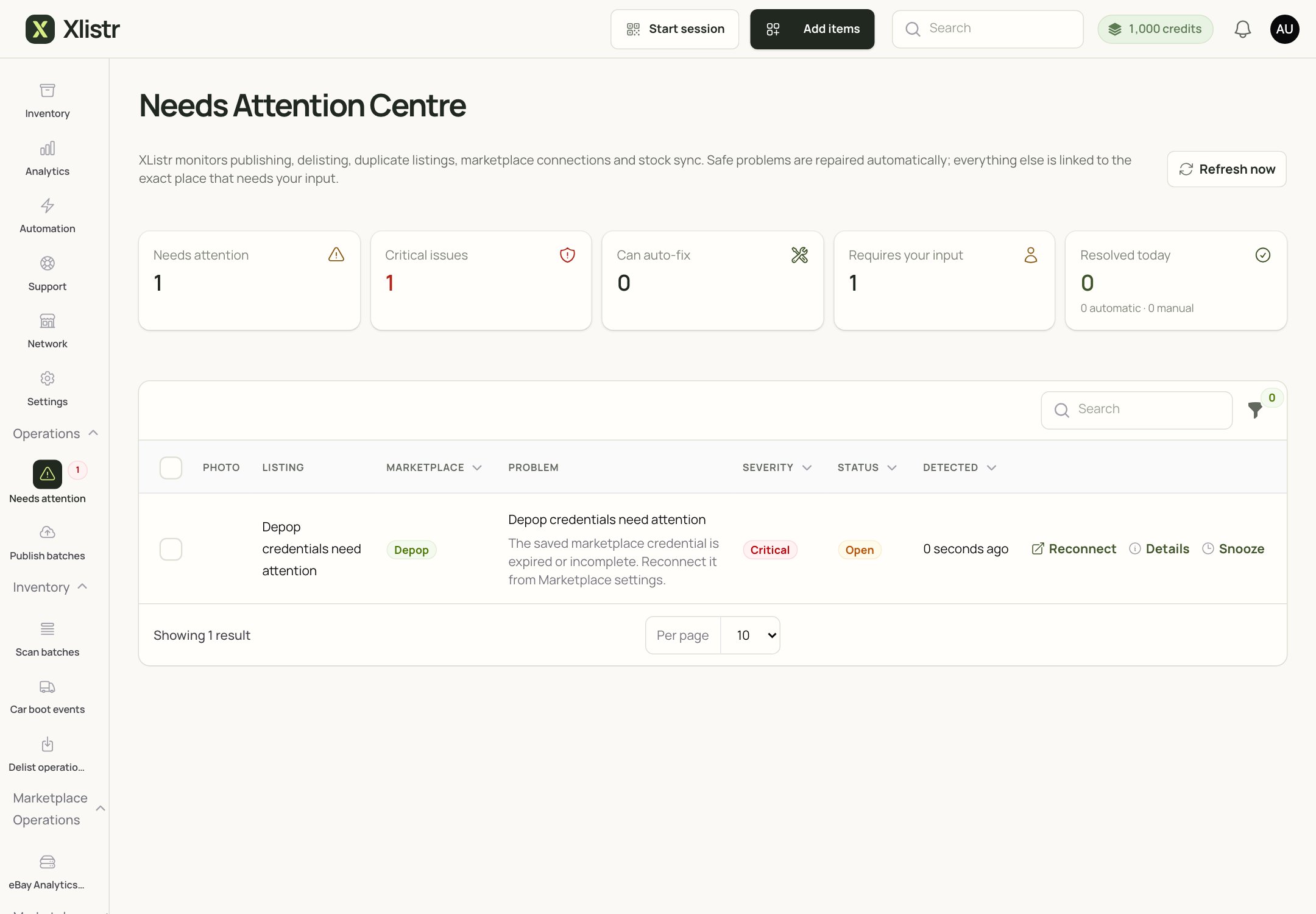
The Needs Attention Centre collects the issues Xlistr could not fix safely on its own.
First, check whether the listing already exists
If the action timed out or its result is unclear:- Open the marketplace.
- Search for the exact title.
- Check the seller’s active listings.
- Check the item in Xlistr.
- Only retry if the listing is definitely missing.
Match the error to the fix
Fix the cause, not the symptom
If the connection is the problem
- Reconnect the shop in Automation > Shop integrations.
- For extension shops, check Chrome, the extension and the correct profile.
- Complete any captcha or security check yourself.
- Then return to the item and check the status.
If the listing details are the problem
- Open the listing review screen.
- Read the red checklist from the top down.
- Fix each missing field.
- Save a draft if you need more time.
- Publish only when the checklist is clear.
Reconnecting an account will not fill in missing item details. If the error names a category, image, postage or item specific, fix that value on the listing.
Retry safely
- Fix the cause shown in the error.
- Check the marketplace to see whether the action already succeeded.
- Retry only the affected item.
- Watch the status until it finishes.
- Check the marketplace again.
When to contact support
Contact support if:- the same error keeps happening after you fixed the cause;
- the error message is empty or impossible to understand;
- a listing is live on the marketplace but Xlistr still says failed;
- you have a duplicate you cannot resolve;
- a connection fails repeatedly with no clear reason.
- the item title or SKU;
- the marketplace;
- the exact error message;
- the approximate time;
- a screenshot with buyer details hidden.
Common questions
Should I retry a failed publish?
Should I retry a failed publish?
Only after you check the marketplace and fix the cause. If the listing already exists, do not retry.
The error says 'Skipped'. What does that mean?
The error says 'Skipped'. What does that mean?
Xlistr did not send the action. Usually a required detail is missing or the item is not eligible. Open the listing and read the checklist.
The marketplace says the listing is under review
The marketplace says the listing is under review
Wait for the marketplace to finish reviewing it. Do not publish a second copy.
I fixed the field but the error is still there
I fixed the field but the error is still there
Refresh the item. If it still shows the old error, open the listing and save it again. If it persists, contact support with the item details.
I have two listings now
I have two listings now
End the duplicate on the marketplace. Then check the item in Xlistr and remove or merge the extra marketplace listing. Do not retry again until you are sure which listing is the real one.
Next steps
Background actions
Understand queued, waiting, failed and ambiguous.
Chrome extension
Fix a waiting browser session.
Shipping and listing details
Complete the fields marketplaces require.
Contact support
Send the right details the first time.