

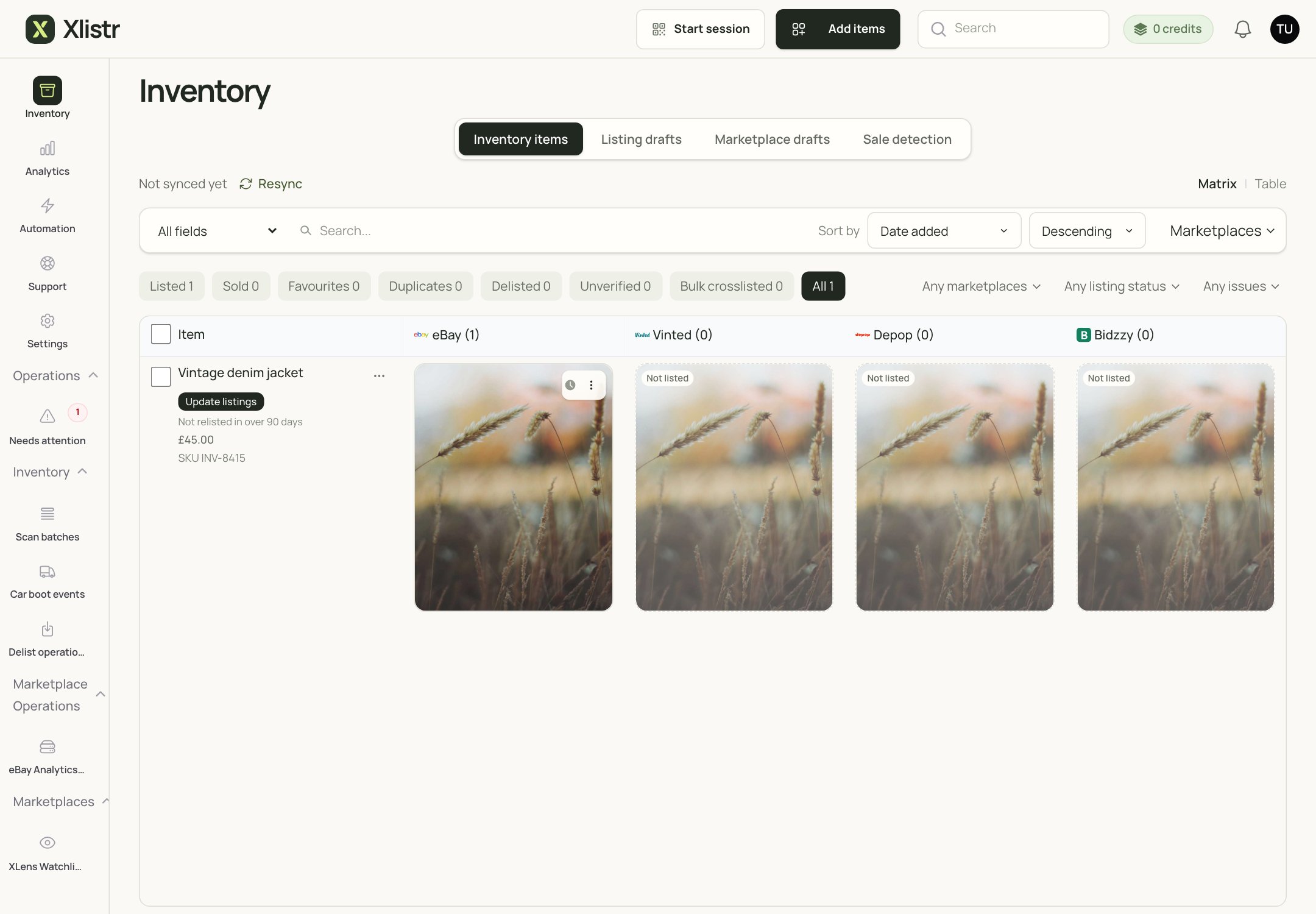
A simple inventory with one item. The columns show the marketplaces the item can be listed on.
One item, several listings
Think of a jacket on a rail in your stockroom.- The inventory item is the jacket itself. It has a cost, a quantity, photos, a SKU and a place on the rail.
- An eBay listing is one advert for the jacket.
- A Vinted listing is another advert for the same jacket.
- A Depop listing is a third advert.
In plain English: the inventory item is the boss. The listings are shop windows. If you change the stock on the item, the shop windows should follow.
What an inventory item holds
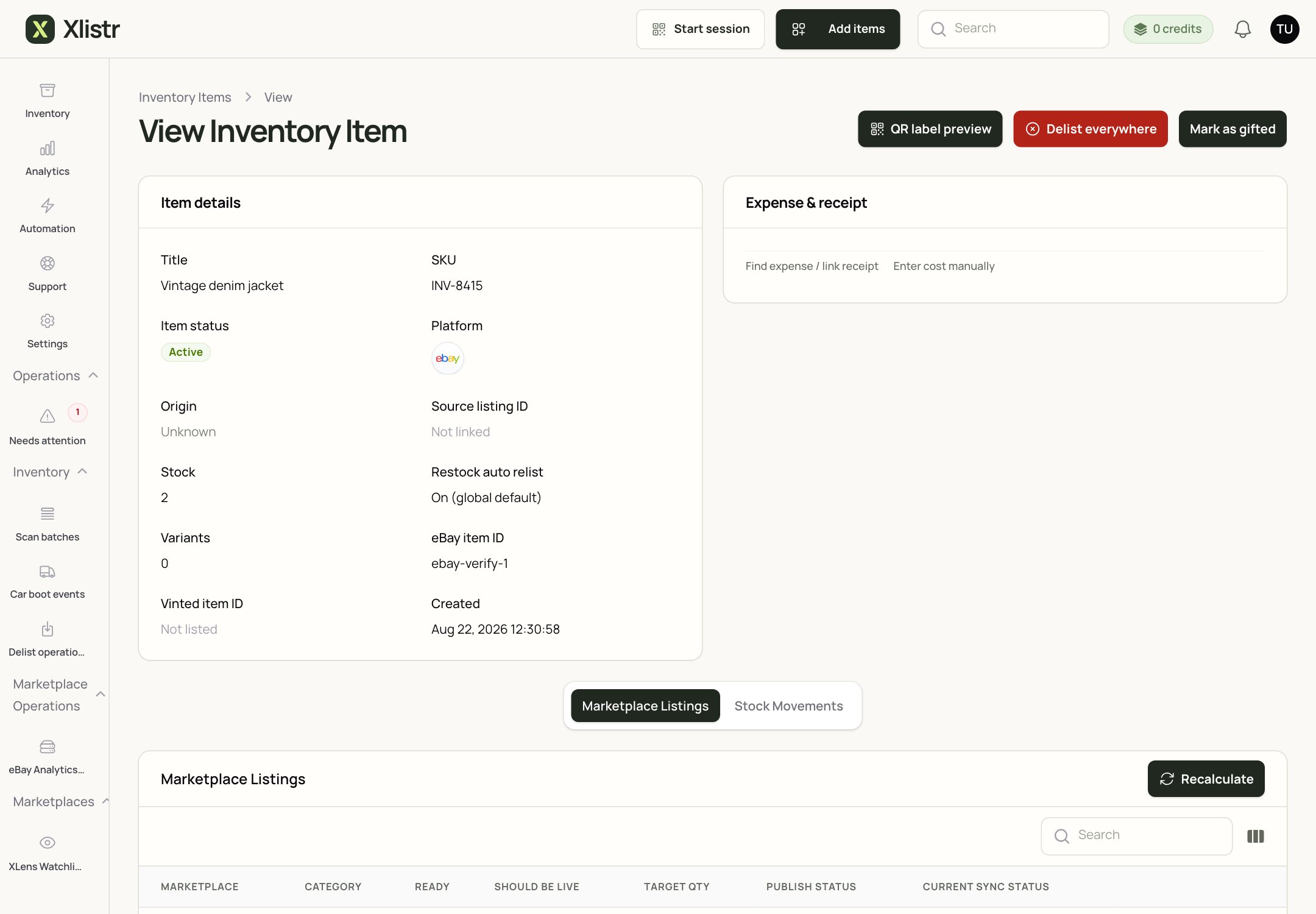
The item detail screen. The Marketplace Listings table shows each linked advert and its current status.
The buttons on an item
These words look similar, but they do very different things.When a sale happens
When Xlistr confirms a sale, it can:- reduce the inventory quantity;
- record the sale and its costs;
- delist or pause the other marketplace listings, depending on your settings;
- update the stock on the connected marketplaces.
What “quantity” means
Xlistr supports three stock modes:- Single unit — a one-off item. The available quantity is capped at one.
- Variant — each size, colour or option has its own quantity.
- Shared quantity — several listings draw from the same physical quantity.
A healthy item looks like this
- It has at least one clear photo.
- It has a title a buyer would search for.
- It has a price greater than zero.
- It has a quantity that matches the real stock.
- It has a cost of goods, if you want profit reports.
- It has at least one marketplace listing, or it is deliberately unlisted.
- Its marketplace listings show a status you understand.
Next steps
Inventory hub
Find items, use the views and filters, and understand the matrix.
Variants and shared stock
Choose the right stock mode and understand priority and minimum stock.
Photos and AI listings
Take better photos and review AI-assisted text.
Publish an item
Put an inventory item live on a marketplace.