

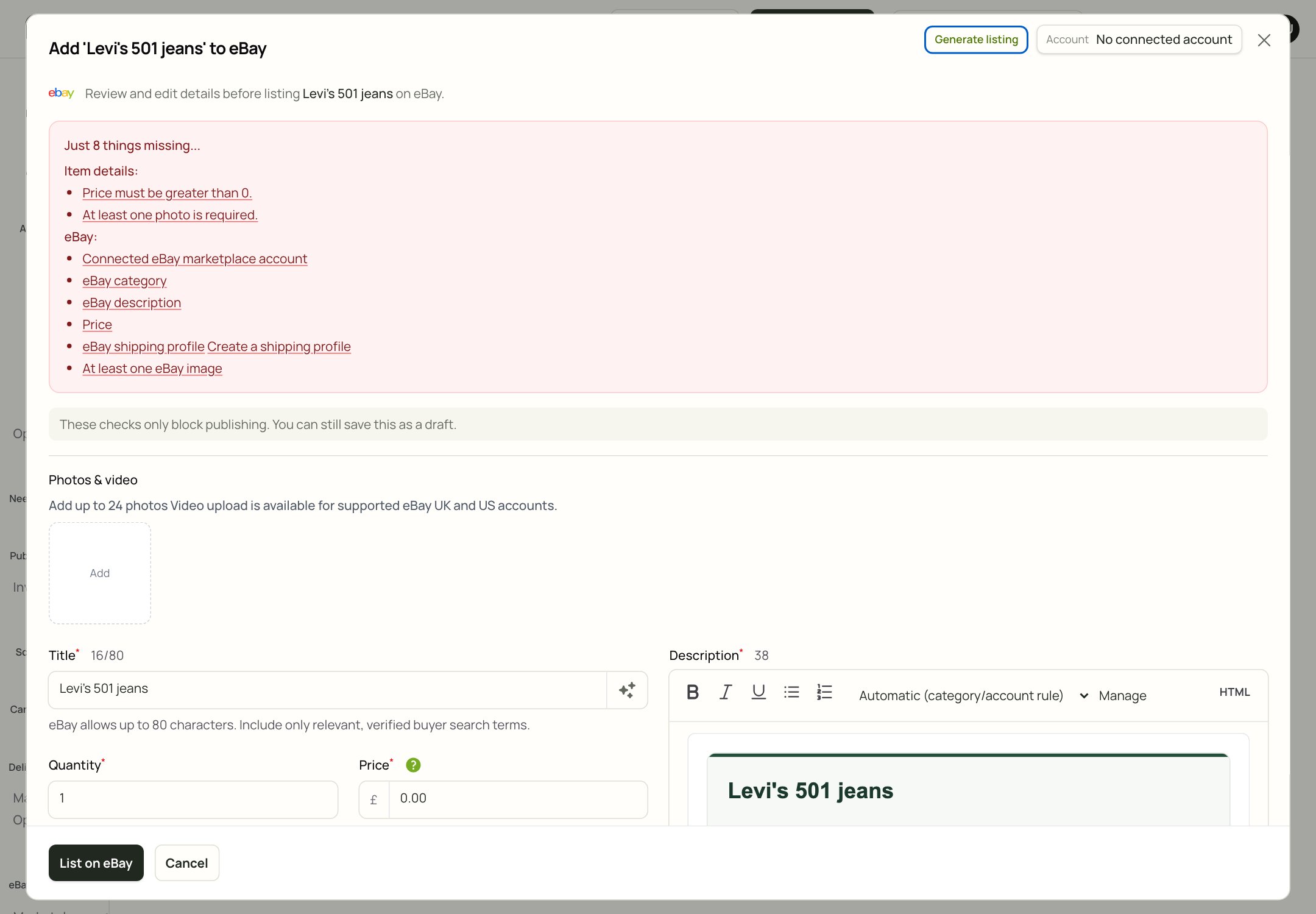
The eBay listing review screen. The checklist at the top tells you what would stop publishing.
Connect eBay
- Open Automation > Shop integrations.
- Find eBay.
- Click Connect.
- Sign in with your eBay seller account.
- Approve the connection.
- Return to Xlistr and check that eBay says Connected.
Prepare an eBay listing
- Add the item to Inventory.
- Open the item and choose the eBay listing.
- Check the title, category, description, photos, price and quantity.
- Complete the eBay item specifics.
- Choose the postage profile and service.
- Review the checklist.
- Save a draft or publish.
Title
eBay allows up to 80 characters. Put the important words first:- brand;
- item type;
- size;
- colour;
- any detail a buyer would search for.
Category
The category controls which item specifics eBay asks for. Choose the most specific category that fits. If you choose a broad category, you may miss required details. If you are not sure, use the suggested category and then check the item specifics. A wrong category is better fixed before publishing than after.Item specifics
Item specifics are the details buyers use to filter, such as brand, colour, material, style, department and size.- Use values that come from the item.
- Do not guess.
- If a value is optional and you do not know it, leave it blank.
- If a value is required, find the closest true option.
Category metadata is not evidence. eBay may show a field because the category supports it, not because your item has that attribute. Only enter what you can verify.
Photos
- Use clear, well-lit photos.
- Show the whole item first, then the label, flaws and details.
- Check eBay’s image limits before uploading a large set.
- Reorder the photos if the first one is not the best.
Postage
Choose a postage profile that matches the packed parcel. Check the service, the dispatch time and the returns policy. If you have not set up a profile, read Shipping and listing details.Description
Write the description as if you were explaining the item to a friend. Mention:- condition and flaws;
- measurements;
- what is included;
- anything the photos do not show.
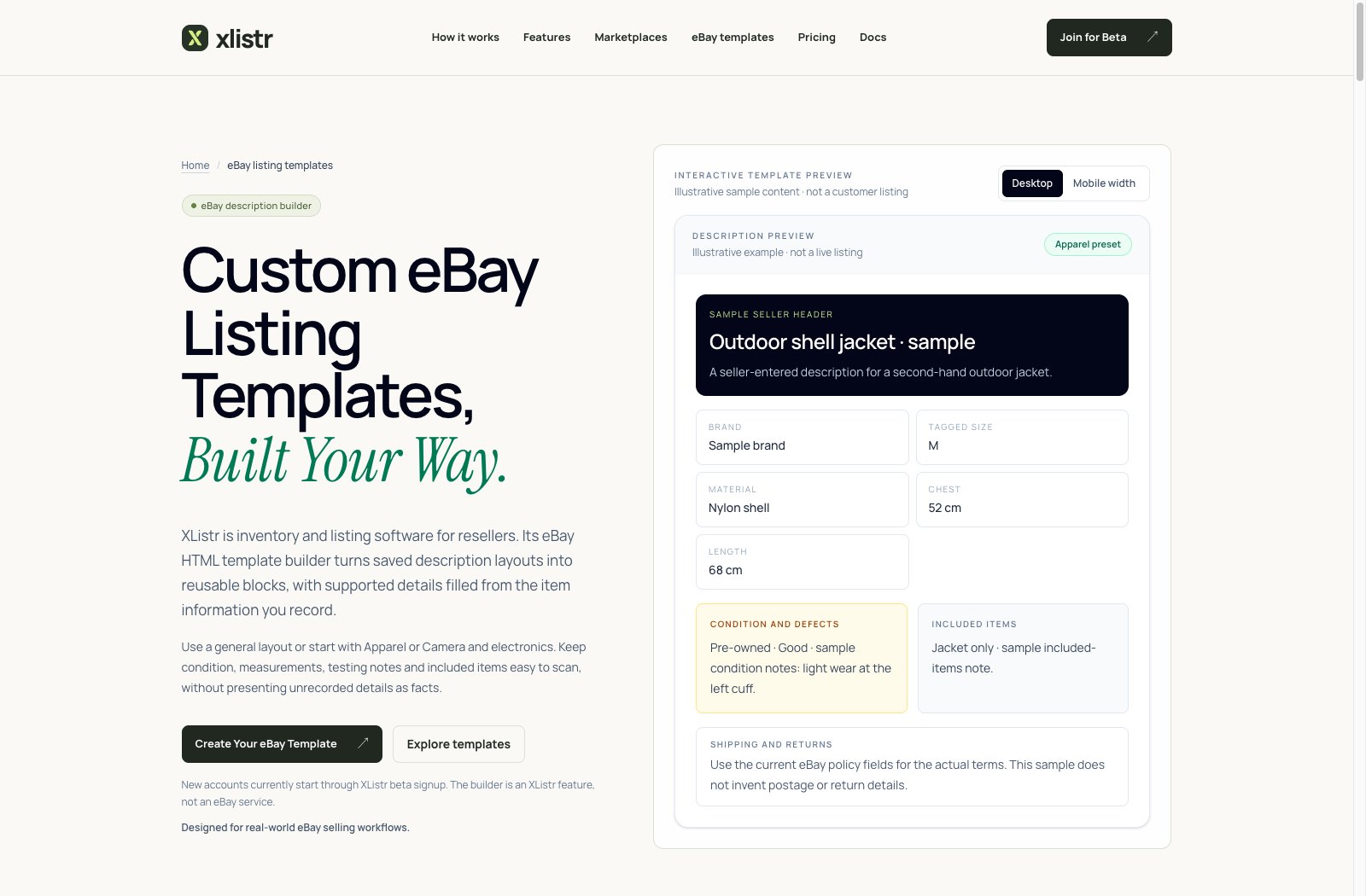
An illustrative eBay description template preview. Templates are optional and only change the description layout.
Publish or save a draft
- Save as draft keeps the listing in Xlistr.
- Publish now sends it to eBay.
- Schedule sends it later.
Revise a live listing
- Open Inventory and find the item.
- Open the eBay listing.
- Change the details.
- Publish the revision.
- Check the live listing.
End a listing
Use Delist on the eBay listing, or Delist everywhere on the item if you want to end every connected listing. Delisting does not delete the inventory item. You can relist it later.Import existing eBay listings
If you already sell on eBay, you can import existing listings into Xlistr. Start with a small batch.- Open Shop integrations.
- Find eBay and choose the import or sync option.
- Import a small batch.
- Open each item and check the title, photos, price, SKU and quantity.
- Link each listing to the correct inventory item.
- Only import the rest when the small batch looks right.
Common eBay problems
eBay says the category is invalid
eBay says the category is invalid
Choose a leaf category (the most specific one), not a parent category. If the category list is stale, reconnect eBay and reopen the listing.
eBay says an item specific is missing
eBay says an item specific is missing
Open the item specifics section and complete the required field. If you do not know the value, choose the closest true option or leave the listing as a draft.
eBay rejected the description
eBay rejected the description
Remove scripts, forms, frames and prohibited links. Check the raw HTML if you are using a template. Then preview again.
The listing is live on eBay but Xlistr says failed
The listing is live on eBay but Xlistr says failed
Check the eBay listing first. If it exists, do not publish again. Wait for the sync to catch up, then refresh the item. If it stays wrong, contact support with the eBay item number.
The connection expired
The connection expired
Open Shop integrations, find eBay and click Reconnect. Complete the eBay sign-in.
I hit eBay's revision limit
I hit eBay's revision limit
eBay limits how often a listing can be revised in a day. Wait until the limit resets, then make the change once. Do not retry repeatedly.
Next steps
eBay description templates
Build a reusable HTML layout for eBay descriptions.
Shipping and listing details
Set up postage profiles and complete item specifics.
Vinted guide
Crosslist the same item to Vinted.
Fix marketplace errors
Work through the exact eBay error message.